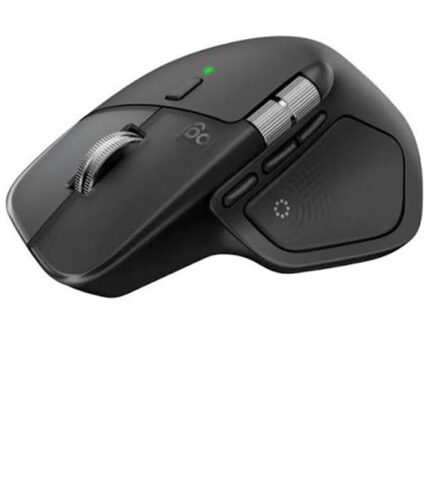
Logitech MX Master 4 Bluetooth Mouse
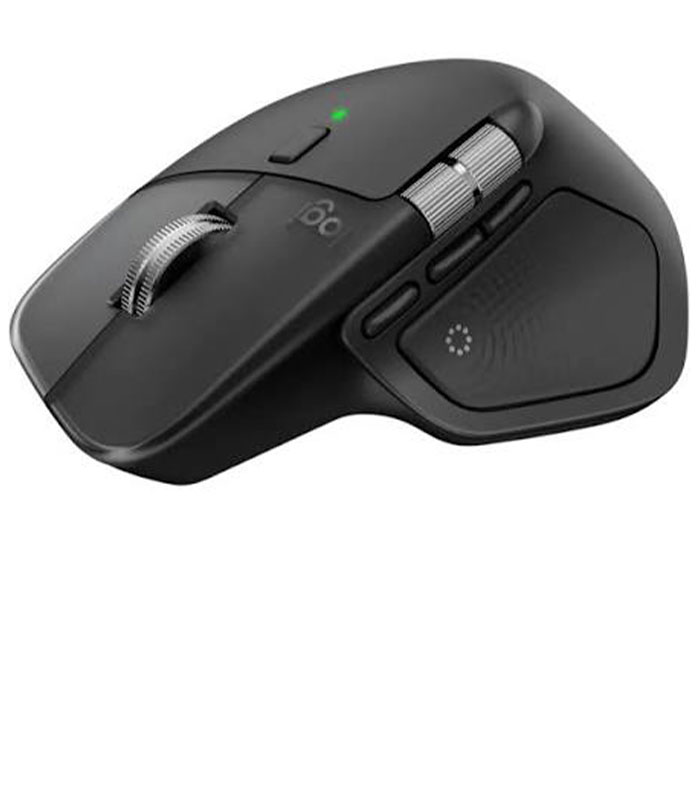
The Logitech MX Master 4 Bluetooth Mouse is a premium wireless productivity mouse designed for professionals, creators, business users, and anyone who wants greater precision, comfort, and control throughout the working day. Combining an advanced Darkfield high-precision sensor, MagSpeed electromagnetic scrolling, customizable haptic feedback, and flexible wireless connectivity, the MX Master 4 is built to make everyday computer work faster and more intuitive.
Whether you are working with documents, spreadsheets, presentations, creative software, web applications, or multiple computers, this ergonomic mouse provides a refined experience that goes beyond a standard wireless mouse. Its sculpted full-size design is made for comfortable right-hand use, while its programmable controls help you create shortcuts that match the way you work. Logitech specifies a tracking range of 200–8,000 DPI, allowing users to fine-tune pointer sensitivity for different workflows and displays.
Premium Precision with Darkfield Tracking
The MX Master 4 features Logitech’s Darkfield high-precision sensor, providing accurate tracking across a wide variety of surfaces. Its sensitivity can be adjusted from 200 DPI up to 8,000 DPI, making it suitable for detailed creative work as well as fast navigation across high-resolution displays.
For professionals who regularly move between design applications, office software, browsers, and large monitors, adjustable DPI provides the flexibility to select a tracking speed that feels natural and responsive.
Smooth MagSpeed Electromagnetic Scrolling
Scrolling through long documents, websites, spreadsheets, and project files becomes significantly easier with the MagSpeed electromagnetic scroll wheel. It is designed to provide both precise line-by-line control and fast scrolling when you need to move quickly through lengthy content. Logitech’s specifications list scrolling speeds of up to 1,000 lines per second on the MX Master 4 for Business.
The mouse also includes a thumb wheel for horizontal navigation, which can be particularly useful when working with wide spreadsheets, timelines, editing interfaces, and large documents.
Customizable Haptic Feedback and Controls
One of the standout features of the Logitech MX Master 4 is its Haptic Sense Panel. Instead of relying solely on conventional button presses, the mouse can provide tactile feedback for supported functions and actions. Haptic intensity can also be customized through Logitech software.
The Haptic Sense Panel can also open the Actions Ring, giving users quick access to favorite shortcuts and tools. With compatible Logitech software, controls can be customized according to your preferred workflow.
App-Specific Customization
The MX Master 4 can be configured to behave differently depending on the application you are using. This makes it particularly useful for productivity-focused workflows.
For example, you can customize controls for applications such as Microsoft Excel, PowerPoint, creative software, browsers, and other supported programs. Logitech software enables users to assign functions to buttons and adjust settings to suit their individual requirements.
Bluetooth and Logi Bolt Wireless Connectivity
The Logitech MX Master 4 Bluetooth Mouse provides flexible wireless connectivity through Bluetooth Low Energy and the Logi Bolt USB receiver. This gives users the freedom to connect without relying on a traditional wired mouse.
The mouse supports multi-device workflows, allowing you to pair and switch between up to three devices. This is especially convenient for professionals who use a desktop computer, laptop, or another compatible device during the day.
Switching between paired devices is handled through Logitech’s Easy-Switch functionality, helping you move between workstations without repeatedly going through the pairing process.
Long-Lasting Battery with USB-C Charging
A reliable rechargeable battery is essential for a professional wireless mouse. The MX Master 4 uses a rechargeable battery and supports fast USB-C charging. Logitech lists battery life of up to 70 days on a full charge, while a quick one-minute charge can provide approximately three hours of use under specified conditions.
This makes the mouse suitable for busy office environments where frequent charging can interrupt productivity.
Ergonomic Design for Professional Work
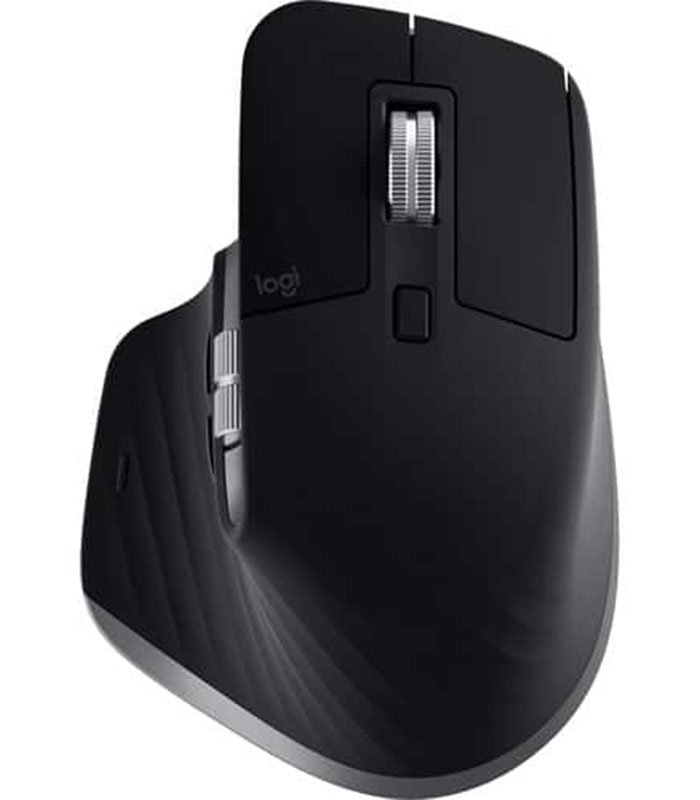
The MX Master 4 features a sculpted, full-size design intended for comfortable right-handed use. Its ergonomic shape supports the hand while providing convenient access to the main buttons, thumb wheel, gesture controls, and other functions.
For people who spend many hours working at a computer, choosing an appropriately shaped mouse can make everyday navigation more comfortable. The MX Master 4 combines this ergonomic approach with premium materials and a professional appearance, making it a natural addition to a modern workstation.
Ideal for Office and Creative Professionals
The Logitech MX Master 4 is well suited to a variety of users, including:
- Business professionals and office workers
- Graphic designers and creative professionals
- Programmers and software developers
- Accountants and spreadsheet-heavy users
- Content creators
- Students and researchers
- IT professionals
- Users working with multiple computers
- Professionals using high-resolution monitors
Key Features of Logitech MX Master 4
- Darkfield high-precision sensor for accurate tracking
- Adjustable sensitivity from 200 to 8,000 DPI
- MagSpeed electromagnetic scroll wheel
- Precision and high-speed scrolling modes
- Thumb wheel for horizontal scrolling
- Customizable haptic feedback
- Haptic Sense Panel for intuitive control
- Actions Ring for quick access to shortcuts
- Bluetooth Low Energy connectivity
- Logi Bolt wireless connectivity
- Multi-device pairing for up to three devices
- Easy-Switch device switching
- Rechargeable battery
- USB-C fast charging
- Up to 70 days of battery life on a full charge
- Ergonomic, sculpted full-size design
- Customizable controls through Logitech software
- Compatible with Windows, macOS, ChromeOS, Linux, iPadOS, and Android, subject to platform-specific functionality.
Why Choose the Logitech MX Master 4?
The Logitech MX Master 4 is designed for users who want more than basic cursor movement and clicking. Its combination of precise tracking, advanced scrolling, customizable controls, haptic feedback, multi-device connectivity, and long battery life makes it a powerful productivity tool.
Its 8,000 DPI Darkfield sensor gives users detailed control, while MagSpeed scrolling makes navigating long documents and websites much faster. The ability to connect with multiple devices is also valuable for professionals who regularly switch between computers.
The customizable controls provide another major advantage. Instead of adapting your workflow to a fixed mouse layout, you can configure supported functions to suit the applications and tasks you use most often.
Buy Logitech MX Master 4 in Kenya
If you are looking for a Logitech MX Master 4 Bluetooth Mouse in Kenya, Neriahtech Computers Ltd can help you find the right professional computing accessories for your workstation. The MX Master 4 is an excellent choice for users who prioritize precision, comfort, wireless flexibility, and advanced productivity features.
For availability, pricing, and purchasing information, contact Neriahtech Computers Ltd on +254 113 81 81 82 or email neriahtechcomputers@gmail.com.
You can also connect with Neriahtech Computers Ltd through our official social media pages: Facebook and Instagram.
Logitech MX Master 4 – Professional Wireless Productivity
From precise Darkfield tracking and MagSpeed scrolling to multi-device connectivity and customizable haptic controls, the Logitech MX Master 4 brings a premium level of control to everyday computing. It is a strong option for professionals who want a reliable, ergonomic, and highly customizable wireless mouse for work, productivity, and creative applications.



 Pick up from the Woodmart Store
 Courier delivery
 DHL Courier delivery
 Overview




Reviews
There are no reviews yet.